2
选择工具并配置
🔧 Cline 插件(推荐开发者)
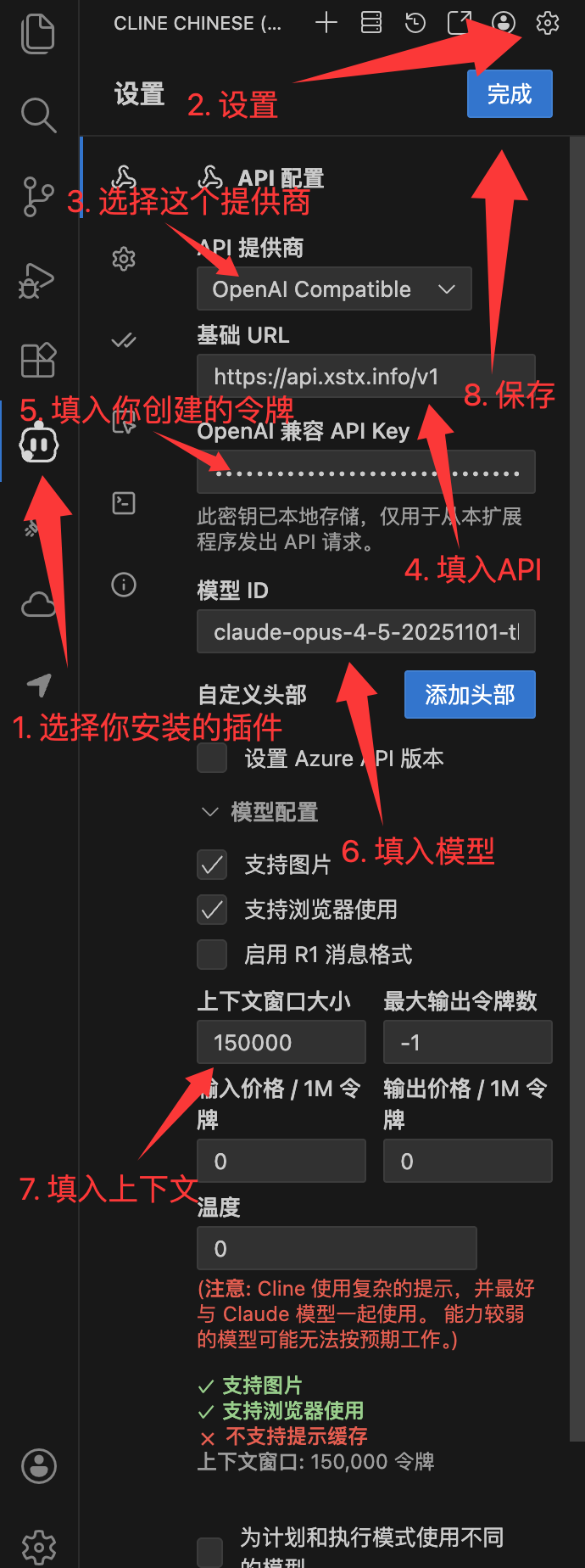
VSCode 搜索安装 "Cline" 插件,配置如下:
API供应商:OpenAI Compatible
基础URL:https://api.xstx.info/v1
API Key:你的key令牌(注意,一定要创建按次分组)
模型ID:claude-opus-4-5-20251101
💬 ChatBox(推荐日常问答 / 学术论文)
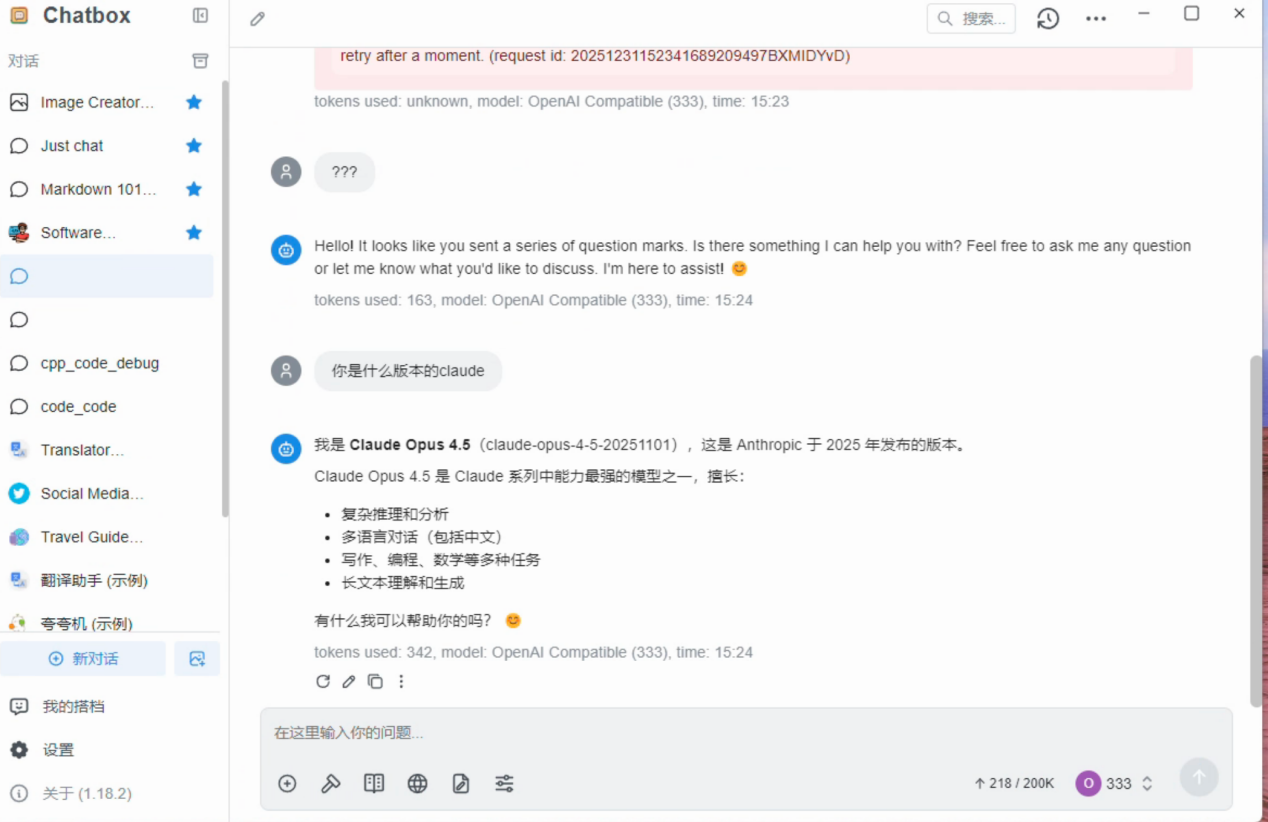
下载 ChatBox,设置 → 模型提供方 → 底部添加 → API模式 → Claude API 兼容:
API Key:你的key令牌(注意,一定要创建按次分组)
API域名:https://api.xstx.info/v1
API路径:默认空留
新建模型:claude-opus-4-5-20251101
🍺 SillyTavern 酒馆
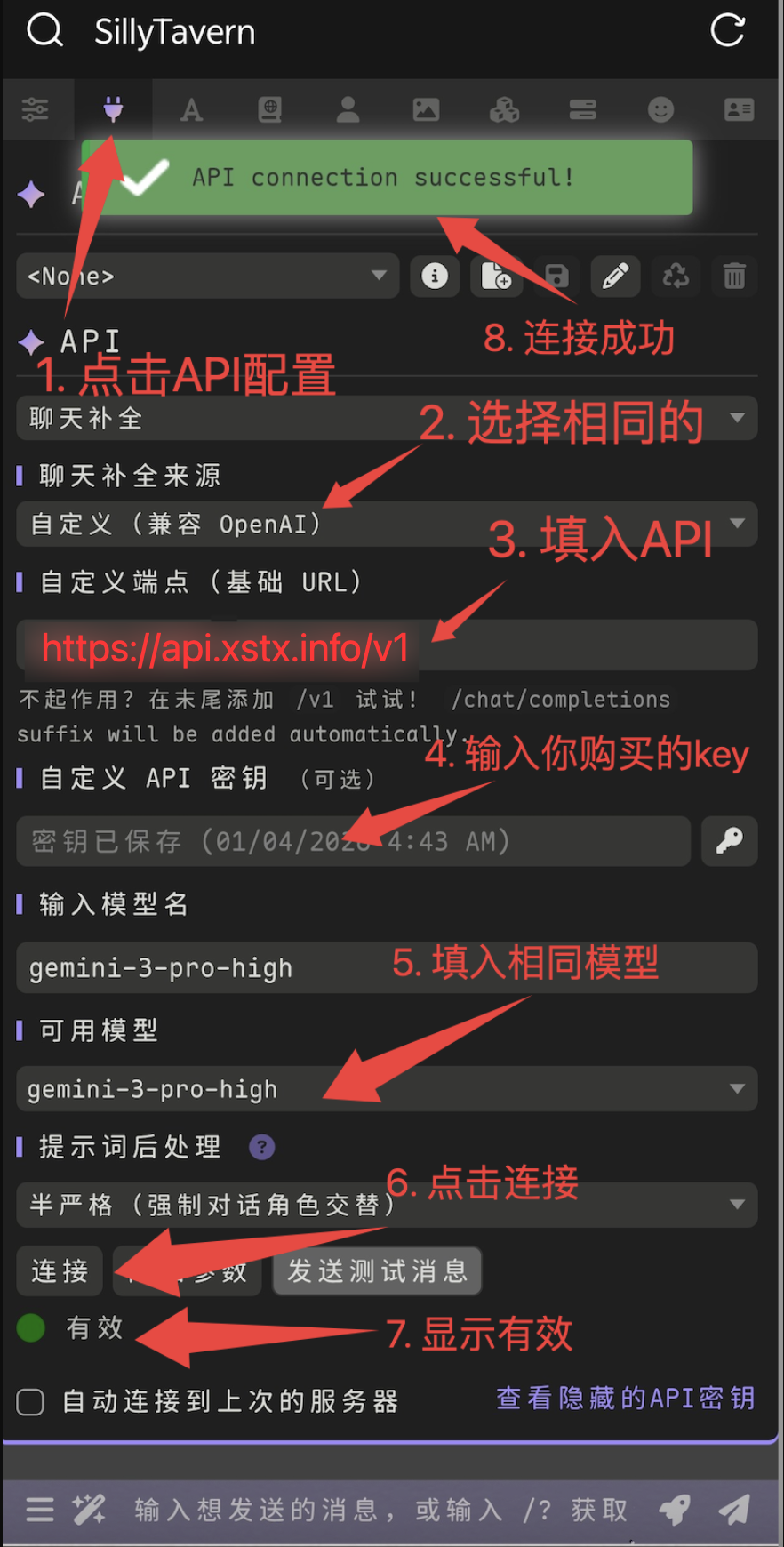
API连接 → Chat Completion → Custom:
Custom Endpoint:https://api.xstx.info/v1
API Key:你的key令牌(注意,一定要创建按次分组)
模型:claude-opus-4-5-20251101